

It's 10 AM on a Wednesday. Mark and Co., a small plumbing company, has three technicians on the road. There is a whiteboard in the meeting room, filled with scribbles, and an office manager trying to keep track of all upcoming appointments. Suddenly, the phone rings. A client has canceled a water heater installation scheduled for 1:00 p.m. Now, there is a technician with a 3-hour gap in his schedule.
As the manager is looking through his Calendar, the phone rings once again. The restaurant across town needs a plumber urgently to fix a burst pipe. The manager checks the whiteboard. Confusion. He checks his Google Calendar. More confusion. He sends a message in the group chat. No response. Meanwhile, the restaurant is still waiting for an answer and everyone is hoping nobody gets double-booked.
For thousands of service businesses, this is what the daily routine looks like. If your day-to-day looks similar, it might be time for you to switch to scheduling and dispatch software.
Scheduling and dispatch software aren’t just for the big guns; they now exist to make it easier for small businesses to work without any administrative hiccups.
In this article, we will be covering what scheduling and dispatch software is, how it works, and what features matter for small teams. Plus, we will cover how to know when you've outgrown spreadsheets, and what to look for when choosing a software.
What Is Scheduling and Dispatch Software?

A dispatch scheduling software combines the best of both worlds for you.
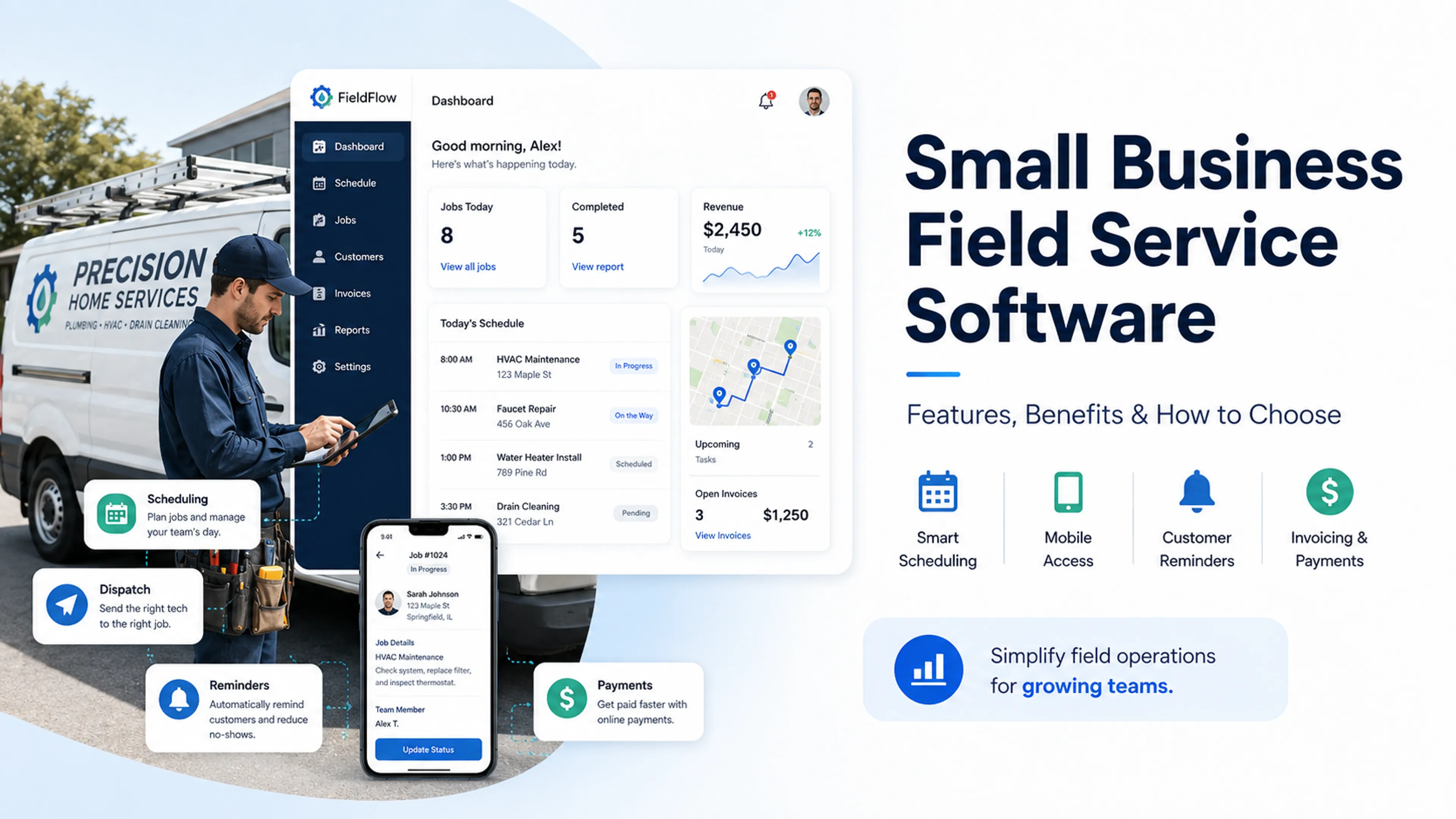
In other words, it is a tool that brings scheduling and dispatching together under one dashboard. It plans when work happens, including determining the timing and prioritization of jobs. It also plans who will perform the said job, including selecting the right personnel, assigning jobs, keeping track of their location, and reassigning jobs.
However, it wasn’t always this simple.
Before the dispatch software came into the picture, companies used to have a separate calendar for scheduling jobs and a separate phone for assigning people to the said jobs.
However, modern software took the chaos out of that arrangement. Now, before assigning their electricians to a client, managers can view their availability, location, skill set, current assignments, and job history all at once.
Should small businesses be switching to such software?
A service dispatch software is perfect for small businesses. HVAC techs, Electricians, Plumbers and cleaners, Handymen, Appliance repair pros .
All are investing in dispatch scheduling software to make operations more seamless. In fact, most Calday users are pressure washers and window cleaners.
Scheduling vs Dispatching vs Field Service Management - What's the Difference?
Though often used interchangeably, scheduling, dispatching, and field service management mean different things. Understanding the difference between a field service scheduling software and a scheduling and dispatching software can help you make the right choice for your business.
What sets them apart from each other? Let’s find out
Scheduling. Scheduling is the process of deciding when the job happens. It is the “before” stage of the workflow. Here, you organize your week ahead, book appointments, and allot time slots to customer requests.
Dispatching. Dispatching is the process of determining who gets the job. This is the “during” phase of the workflow. Here, you assign technicians, handle cancellations, reroute jobs, react to emergencies, and deal with delays.
Field service management (FSM). Field Service Management (FSM) software includes both scheduling and dispatching, but it also goes much further. FSM platforms include invoicing and payments, customer relationship management (CRM), workforce management, quotations and estimates, and reporting and analytics, among other features.
If you're running a team of one to ten, you don't need the full thing. Good scheduling, dispatching, and invoicing covers everything. Enterprise software just means a bigger bill and a lot of screens you'll never open.
How Scheduling and Dispatch Software Actually Works
We have already had a look at what a normal day looks like when a company runs on calendars and manual phone calls. But what does a normal working day look like when you choose the right scheduling and dispatch software?
Here is what your morning will look like when the right dispatch scheduling software is running it.
Step 1. Customer books a job
A client finds your website online, picks a slot that suits them, and fills in the details. No need for back-and-forth calls. You get the job on your dashboard with the location, service needed, time slot, and other details. All you need to do is assign it to the right person.
Step 2. The system shows availability
The software shows all your technicians, their availability, and their locations. You don't need to consult your whiteboard. You already have all the information at your disposal.
Step 3. You assign the job
After going through your techs' details, you can let the dispatch scheduling software do it for you based on the information available or you can do it yourself. The tech gets a notification on their phone instantly.
Step 4. The tech arrives, does the work
The tech gets the customer's address, job details, any history from past visits, and anything special that the client requires, on their mobile app. They check in when they arrive, get the job done, and collect payment or send an invoice right there.
Step 5. Customer gets a follow-up
The client gets an automated reminder before the appointment, a heads-up when the tech leaves for the job, a receipt when the job is done, and a review request. No one needs to do this manually.
And that’s it. What used to look like a morning of chaos, now appears peaceful because the software handles it for you.
7 Features That Actually Matter (and 3 That Don't)
You do not need every single feature in a demo. Here’s what to look for
Features that matter
1. Online booking page
Customers prefer booking without having to make calls. An online booking page lets you book appointments 24/7 without touching a phone. If your service dispatch software doesn't have this feature, you will need a separate tool (translation: double entry) which defeats the purpose.
2. Drag-and-drop calendar
Your dashboard is where you will be spending most of your time, so it should be fast and smooth. The right tool should allow you to switch jobs between techs in seconds. If the dashboard feels like moving through spreadsheets, it will slow you down.
3. Automated reminders
An SMS or email before the appointment serves as a soft reminder and cuts down no-shows by 30-50%. The right scheduling and dispatch software, with this feature alone, can cover the tool’s entire monthly cost on its own. So, look out for this one in particular!
4. Mobile access for techs
Your techs do not spend their entire day on their desks. Therefore, the mobile app needs to be sharp and easy to use. If it is clunky or feels like an afterthought, your techs might not want to use it. Make sure to get a software solution where the mobile app is as functional as its desktop version.
5. Real-time notifications
When a job gets assigned to a tech, is updated, gets reassigned, or, worse, cancelled, every tech involved must be informed immediately. To avoid the "I didn't get the message” scenario, get a tool that offers real-time notifications.
6. Customer history and notes
When a tech arrives at the job, they should know what the client wants, what jobs they have hired the company for in the past, and any unresolved issues. If you still need to call the office for these details, the software isn’t doing its job.
7. Invoicing and payments
The best moment to get paid is when the job gets done. Look for a scheduling software that allows you to collect payment on-site or send an invoice before you've left the client’s driveway. The longer the gap between completion and invoice, the harder the collection gets.
Features that sound impressive but most small teams don't need
1. AI-powered route optimization
This feature works well when you are handling 20+ trucks. With only 3 techs, you know your city better than any algorithm can.
2. Inventory/parts management
This feature is built for businesses that stock a warehouse. Most service pros buy parts per job, so this will just add a screen that you will never use.
3. Advanced reporting dashboards
These sound powerful until you realize you only need revenue, job count, and no-show rate. An extra 47 custom KPIs won’t tell you anything new that these three cannot.
5 Signs You've Outgrown Spreadsheets and Group Texts
Sometimes there are clear telltale signs that you need to move on from spreadsheets and group chats:
You've double-booked a tech this month.
The spreadsheet looked right but you ended up making a very awkward call to a client, apologizing to them, and fixing the error manually.
A customer called to ask you about the tech who never showed up, and you didn't have an answer
They had been waiting for an hour and you had no idea. The moment of agonizing silence before all hell broke loose? That’s your manual system failing you in real time.
You're spending 30+ minutes every morning just organizing the day's schedule.
A good part of your morning is taken up by endlessly scrolling through texts, cross-referencing your whiteboard and Excel sheets, and calling your techs.
A tech drove across town for a job that had been cancelled an hour ago.
The cancellation came in hours ago. It just wasn’t communicated to the tech in time. Now, that is fuel, time, energy, and goodwill you will never get back.
You can't tell how many jobs you completed last month without counting manually.
You do not have a quick answer. You need to go back to your spreadsheet. So much time lost. That is your system failing you, yet again.
If 2 or more sound a little too familiar, you know your spreadsheets aren’t working. It’s time to jump ship.
What to Look for When Choosing a Tool
Before you start comparing scheduling and dispatch, ask yourself these four questions first:
How big is your team?
Do you work solo or with two or three people? Simplicity wins. Five to fifteen people? You will need multi-user calendars and proper tech assignment. Twenty or more? You have entered the full field service management territory.
What does your workflow look like today?
Do your customers book via your website or Instagram? You need an embedded booking page. Do you take manual bookings? You need a strong visual dispatch board.
What do you need to integrate with?
Want to use QuickBooks, Google Calendar, or Stripe? Check for compatibility before you commit. You don’t want to transfer your data later because an integration was missing.
What's your budget?
You can find free tools for solo operators. Small teams land in the $20-50/user per month range. Anything over $200/month (aka Enterprise) is overkill unless your team has surpassed 15 people.
How to Set Up Scheduling and Dispatch in Your Business
Setting up the software takes less time than you think.
Here’s how to nail it on the first try
List your services and durations
Define exactly what services you are offering and how long each job realistically takes, including the travel time. This information populates your booking page and keeps your calendar in sync.
Set your availability
Block off travel time, lunch slots, and admin hours. Your Calday calendar should reflect when you're genuinely available instead of an optimistic 8am–6pm wall of open slots.
Create your booking page
Drop the link everywhere you have a digital presence. This includes your Google Business Profile, Instagram bio, Facebook page, YouTube profile, and even the invoices.
Add your team
Give each technician their own calendar. If the tool supports it, like Calday does, assign them skills and service areas so the clients can easily find what they are looking for.
Turn on reminders
Send an SMS 24 hours before the job and then another one an hour before. That should be the standard. Plus, it will reduce no-shows.
Do a dry run
Before you go live, run a fake job end-to-end. Book it, assign it, check if the notification lands, and pull it up on a phone. Fix anything awkward that you may find before a real customer does.