
When you work as a pet sitter, people hand you the key to their home and their pet for a week. That is a huge leap of trust.
It is almost like taking a trust fall.
So, how do you bridge that gap?
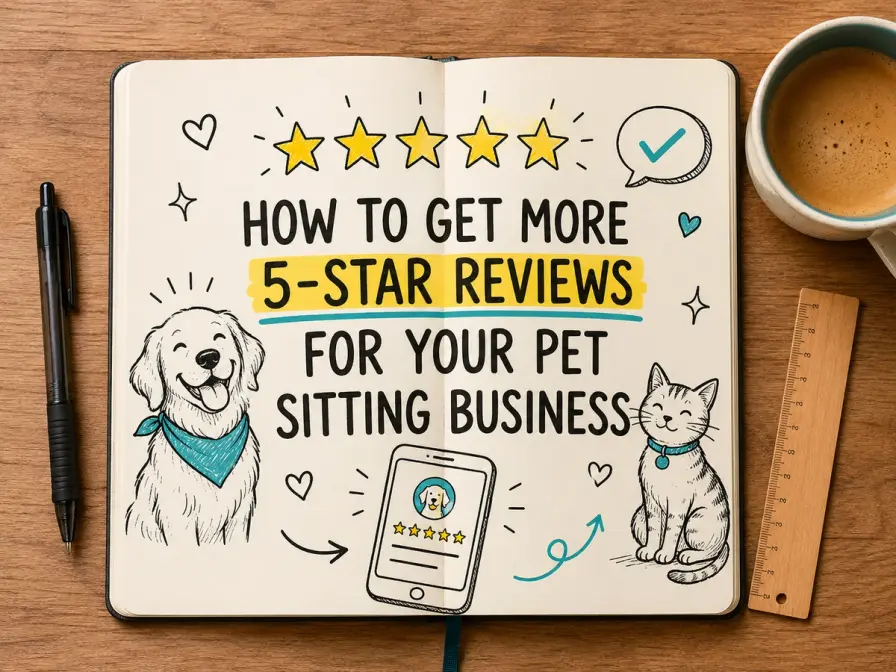
Reviews are the only proof that closes the gap. They work better than a nice-looking website or a colorful flyer on a community board.
Your clients know it too!
According to BrightLocal, 97 per cent of people read reviews before choosing a local business.
If you are wondering how to get reviews for your pet sitting business, you're not alone. Most pet sitters with a roster full of recurring clients have reviews to vouch for their service and professionalism.
In our guide, we have covered exactly when to ask for reviews, what to say, and how to automate the entire thing, so you can stop relying on your memory.
Where Your Reviews Should Live
Not all reviews deliver equal benefit. The places you collect your reviews from are just as important as whether you collect them at all.
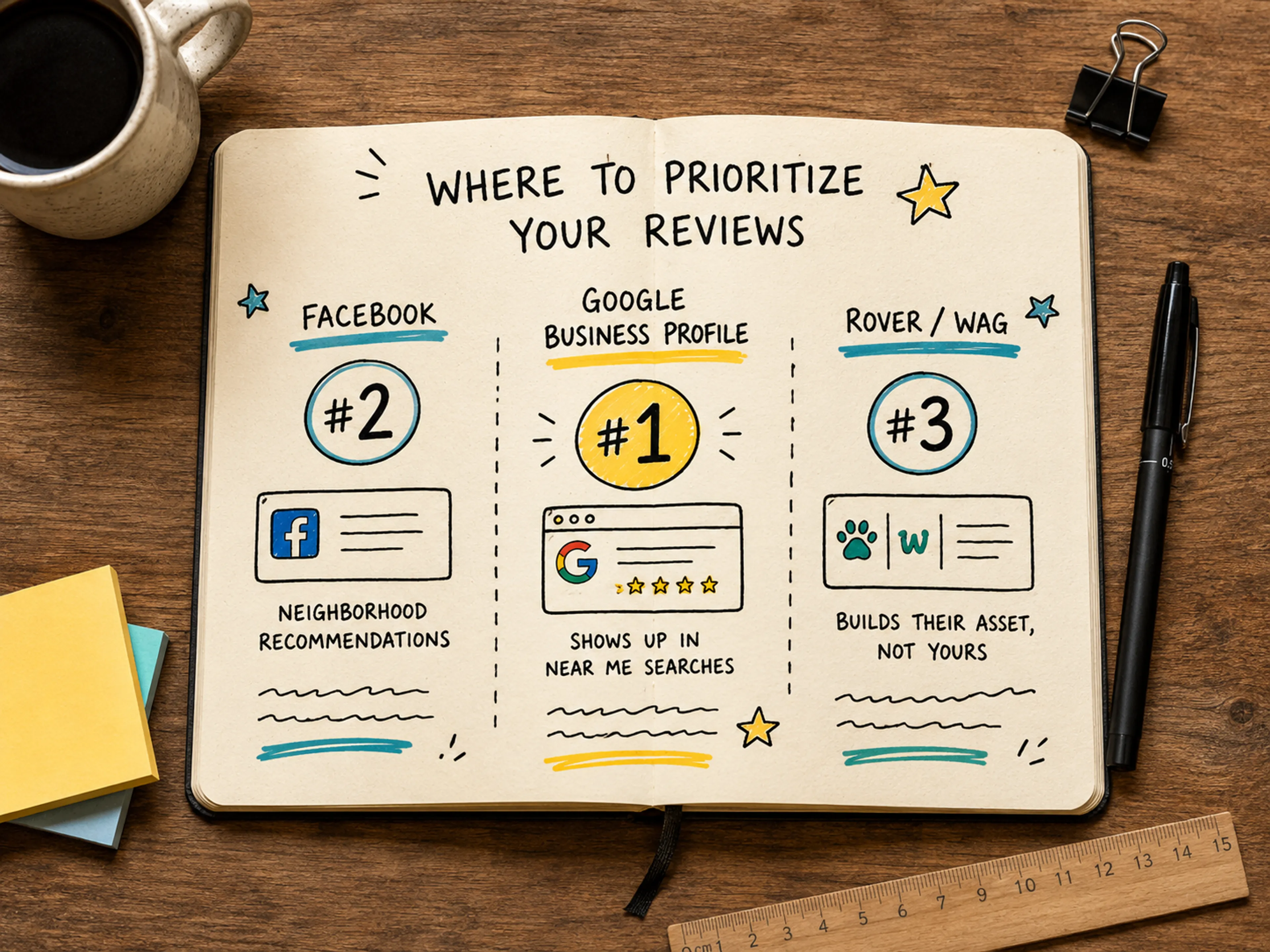
Always start with your Google Business Profile!
It is the first thing that appears when people search for "pet sitter near me." It is also the place where your reviews actively pull in new clients instead of just impressing the ones you already have. If you still have not set your profile up, our guide to getting pet sitting clients will walk you through the entire process.
Then move on to the good old Facebook. This is where neighborhood recommendations take place. A Facebook review with your business attached to it under a post looking for a good pet sitter will do the trick.
Your last priority should be platforms like Rover or Wag.
Plus, there is a catch!
A good review on Rover or Wag will build their asset, not yours. The review lives on the platform under their name, and it disappears the moment you stop paying for the subscription.
Every client you book on your own should be redirected to your Google Business Profile instead. Those reviews stay with your business for good.
The Perfect Moment to Ask (Pet Sitters Have a Cheat Code)
Most businesses need to wait for the right moment to ask for a review.
Pet sitters do not.
They have a cheat code built right into their job, and most sitters do not even use it. Ever.
Picture this: A client just returned after a holiday. They open their phone to your final photo update. They see their pet, happy and healthy. That is the moment when their trust is at its highest point.
That is your window to act. In that same message thread, ask them for a review. They are more likely to reply when they are feeling relieved and grateful. If you wait for too long, you will be disturbing a client who is already thinking about a bunch of emails before returning to work, not how much they appreciated your service.
If you miss that window, do not worry.
The welcome-home moment is not your only shot. An overnight stay can get the job done as well because that is when an apprehensive new client fully relaxes.
A meet-and-greet that leads to a booking is also a good window to act. And if you have regular clients, wait for a milestone like the 10th walk to ask for a review.
Your timing is of utmost importance here. According to Podium's State of Reviews report, consumers who just had a good experience are 36 per cent more likely to leave a review when they receive a direct invite to do so. So, people are not reluctant; they just need a nudge.
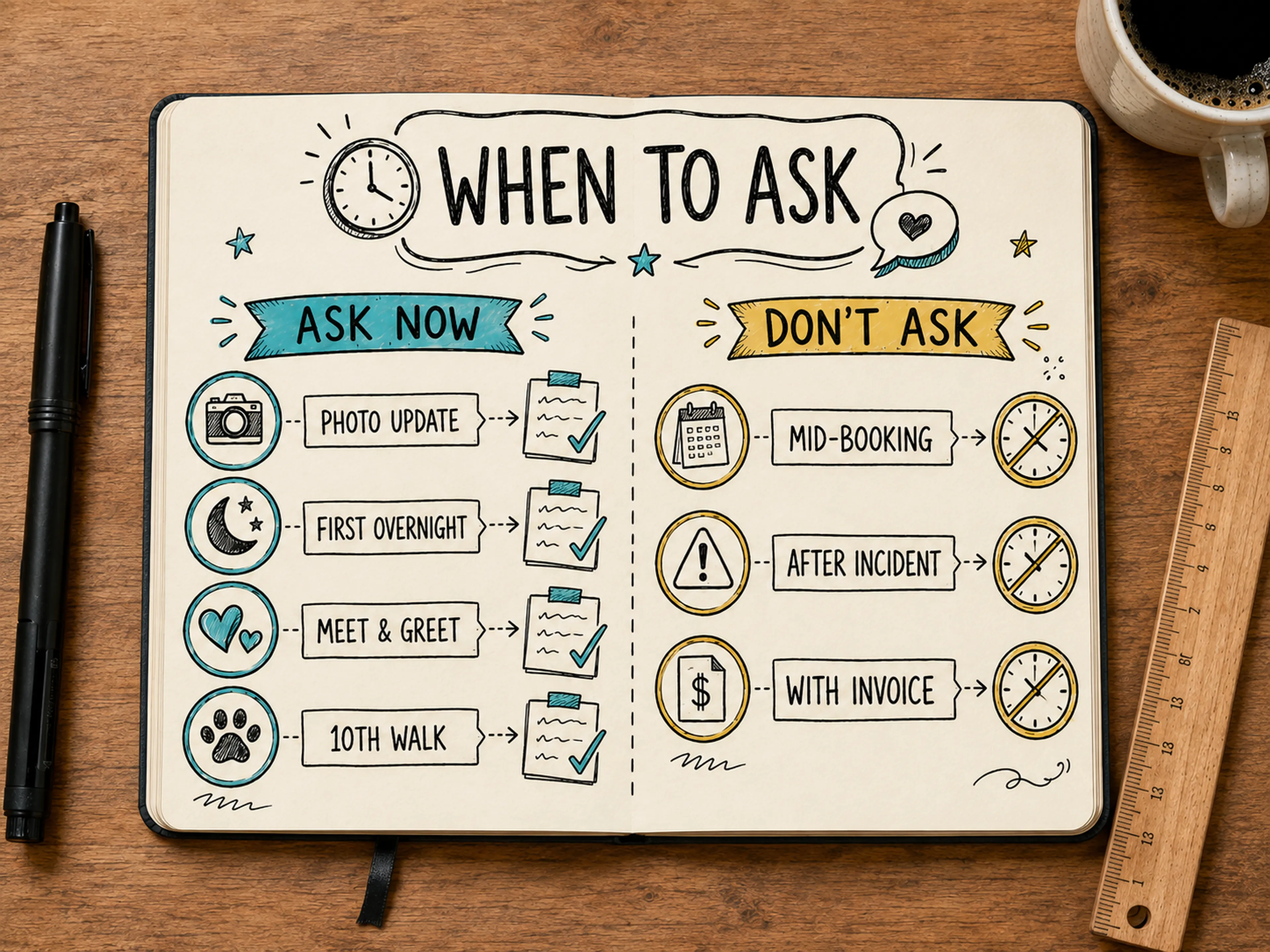
That said, knowing when not to say anything is equally important. Never ask for a review mid-booking, during or right after an incident, and in the same message as the invoice. You should never mix money and gratitude because it can turn a genuine moment into something that comes off as transactional.
How to Ask for Reviews: Word-for-Word Scripts
Now that we know when to ask for reviews, we have solved half the problem.
Now, we need to work on the rest: knowing what to actually send.
Here are three scripts you can send every time you want a review.
The welcome-home text
This one works because it is specific because you used the pet's name. You also named the actual time cost, and you were upfront that you are a small business, not a faceless company fishing for stars.
The regular-client ask
For the client whose dog you have been walking for months, you need to use a tone that is more candid.
Go for something like:
This template works in person too.
All you have to do is swap the 30-seconds line for something you would actually say to someone, and text them the link on the spot.
The meet-and-greet follow-up
Here is what you can use for a brand-new client after you have just wrapped your first booking with the:
New clients are often the most motivated to leave a review, since the relief of a good first experience stays with them for a while.
There are some ground rules, though!
Follow these rules when asking for reviews to make sure they convert instead of getting ignored:
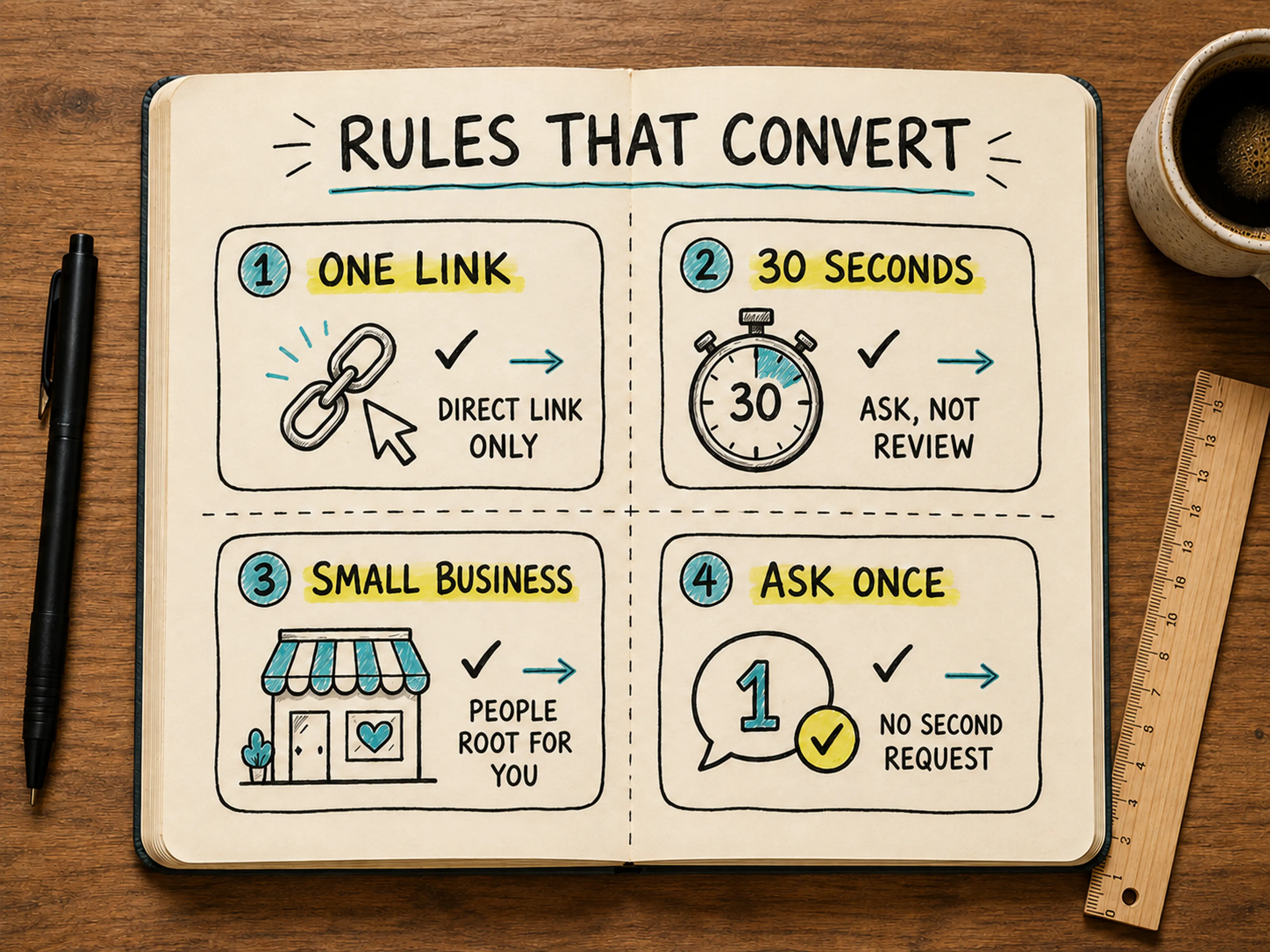
Send your clients only one link, not a find-us-on-Google. Making someone search for you is a turn-off for that person, and they will not do it.
Ask for 30 seconds, not a review. The word review itself sounds like a task. Thirty seconds sounds doable between texts. Tell them you are a small business. People root for small businesses in a way they do not for the big ones.
Lastly, never ask twice in the same thread. If they do not respond the first time, let it go.
Do you want full email versions of asks like these, with subject lines, and longer copy?
Check out our 5 review-request email templates for the complete set.
Automate the Ask (So You Never Forget)
An email template only works if the link behind it takes one tap instead of five.
You need to get your short review link straight from your Google Business Profile, and reuse it everywhere. This includes your text scripts, booking confirmations, and email signature.
The real reason most sitters have low reviews is not fear; it is forgetfulness. GatherUp's Local Business Review Survey found that 51 per cent of consumers mean to write more reviews but simply forget to.
If you automate scheduling for pet sitters, the review can simply ride along with your booking follow-ups automatically, so every successful visit ends with a review link without you lifting a finger. If you want to add a physical element to it, print the same link as a QR code on your report card.
When a Bad Review Happens
You will not always get a five-star review.
In the course of your business, you will eventually receive a review that will not be so good.
When that happens, you do not need to panic.
You need to respond fast, stay professional, and take the conversation offline as fast as you can.
Never argue with a client in public, even if you are sure the review is unfair. A public argument can drive potential clients away.
A calm and graceful reply to a bad review often builds more trust with future clients than a wall of perfect five-stars ever could. It shows them you can handle problems like a professional. For the full playbook on bad reviews, including response templates for different situations, take a look at our guide on how to effectively address negative reviews.
What Not to Do
There are a few things that you need to avoid at all costs.
Do not pay, discount, or give a gift card to a client for leaving you a review. It violates Google's policy, and if you ever end up getting caught, all of your reviews will be wiped clean. Consequently, your months of honest work will be undone.
You also must avoid review gating.
What does that mean?
It means that you should not filter who you ask for reviews by pre-screening for happy clients only and steering unhappy ones elsewhere.
Also, never write or seed fake reviews for yourself, even if it is just a few. It can be quite tempting, especially if you are just starting out and you have no reviews. However, that is exactly the kind of behaviour that can get you flagged and your credibility erased the moment someone notices the pattern.
Turn Trust Into Reviews
Get the timing right, make the link one-tap, and reviews will stop feeling like a favor you are asking for. Automate the process, and you will find your reviews compounding on their own, week after week, without you having to remember a thing.
Calday sends your booking follow-ups, with your review link, automatically. Free to start, no credit card needed.