Barbershop software built for your regulars
Barbers use Calday to take bookings from their own link, with reminders and deposits built in. No marketplace sits between you and your regulars, and Calday takes no cut of a booking.
- Free forever plan
- No card needed
- Set up in minutes

 Tom WalshSkin fade and beard trim
 Jordan EllisnowBooked a skin fade · Fri 5:30 PM
Three steps to a full chair
- One visitSkin fadeFade, line up and a hot towel finish.$35·45 minSettingsStep 1
Add your cuts
Fades, beard trims, kids’ cuts and hot towel shaves, with your prices and how long each takes.
- calday.me/mateocutsStep 2
Put the link on the window
Put it in your Instagram bio, on your Google profile and on the shop window.
- 13:30 – 14:15Skin fadeJordan EllisNowStep 3
Cut while the chair fills
Regulars pick a time from their phone and get an email reminder.
Barbershop booking software for the hours behind the chair
Your regulars stay yours
Calday is not a marketplace. Clients book from your own link, nobody gets pointed to the shop down the street, and Calday takes no cut of a booking. Card payments go straight to your own Stripe account.
- Your own booking link, with only your shop on it
- A standing slot every week, two weeks or month
- Notes and visit history on every client record
 Jordan EllisSkin fade, every 2 weeks

Your book goes where your chair goes
Barbers change shops, and shops change booking apps. Your Calday account is your own, so your link, your clients and their history stay with you wherever you cut next.
- One booking link for your Instagram bio, wherever you work
- Clients keep the same link, so nobody has to find you again
- Your address and hours change in a minute when you move


Let clients book while your hands are full
Free forever plan, no card needed.
A deposit holds the chair
An empty chair at 5 pm on a Friday is money you don’t get back. Ask a new client for a deposit when they book and show your cancellation policy before they confirm, so a no-show no longer leaves you with nothing.
- Deposit required at booking, no awkward asks
- Your cancellation policy shown before they confirm
- Collect the balance after the cut, all tracked in one place
Deposits and card payments are on Pro, $12 per seat a month. Card payments run through Stripe.
Learn about payments
 Mia Chen•• 4242

Barber scheduling and payments in one app
Stop switching between your calendar, DMs, payment apps and a paper appointment book.
Your own page where clients book and pay.

Set hours, buffers and who does what.
Every appointment in one view, synced with your calendars.
Notes, history and contacts for every client.


Deposits and full payments by card or phone.
Email reminders before every visit.
Works with the tools you already use
- Google Calendar
- Outlook
- Stripe
- Zoom
- CSV import
- iOS and Android
What service businesses say about Calday
- average rating on G2
- 4.8
- customers taking bookings
- 3k+
- to a live booking page
- 5 min
“I’ve been using Calday for over 7 months and everything runs smoothly. Automated reminders keep clients on schedule, and Stripe integration lets me charge directly on the booking page. It’s made a real difference to how I run the business.”
“I set up my booking page in just a few minutes and sent it to my clients without any fuss. By far the easiest scheduling tool I’ve tried, and I’ve tried a bunch.”
“Clients find a time in seconds. It cut my email backlog big time and freed up hours I was spending on back-and-forth.”
A free booking app for barbers and small shops
Free forever plan, no card needed. Deposits and card payments come with Pro.
Is Calday right for your barbershop?
Calday fits a chair or a small shop, and here is what it skips.
Independent barbers
You have clippers in one hand. Clients book the next cut from your link, not your DMs.
Small shops
Every barber gets a calendar and the app, and you see the whole shop’s day at once.
Booth renters
Your own booking link and your own clients, whichever shop your chair is in.


Not built for
- Walk-in queues and check-in kiosks
- Booth rent and commission payouts
- Clients picking their barber when they book
Free tools for barbers
Price and bill your services, even before you sign up.
Barber appointment software for cuts, not DMsBarber appointment software for cutting hair, not answering DMs
Let Calday take the bookings while you stay behind the chair.
- Free forever plan
- No card needed
- Set up in minutes
More in beauty
Calday runs the same way for every trade in the group.
Beauty salons
Every treatment behind one booking link.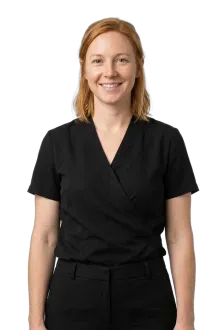
Hair salons
Cuts and color booked online, deposits upfront.
Nail salons
Bookings, deposits and client notes in one app.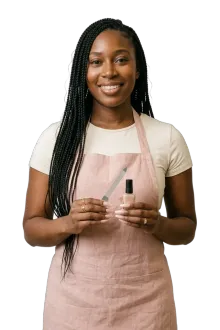
Lash extensions
Fills, deposits and reminders in one app.
Massage therapists
Intake answers, travel time and follow-ups in one app.
Tanning salons
Spray tans booked with prep sent ahead.
Tattoo artists
Bookings and deposits for your studio.
Spa
Bookings arrive while the room stays quiet.
Questions from barbers
Straight answers before you start.
What is the best barber booking app for an independent barber?
It depends on what you need. If you want a marketplace to send you new clients, or a walk-in queue, an app built around those fits better. If you want your own booking link, reminders, deposits and a record of every regular, Calday does that on a free plan.
Is Calday a free barber booking app?
Yes. The free forever plan covers one service and unlimited bookings, and there is no card to enter. Pro adds deposits and card payments through Stripe at $12 per seat a month.
Does Calday take a commission on my bookings?
No. Calday is not a marketplace and takes no cut of a booking, including from clients who are new to you. If you take card payments, they go to your own Stripe account, and Stripe charges its usual processing fee.
How do I get more clients as a barber?
Put your booking link in your Instagram bio, on your Google profile and on the shop window. Someone who likes a fade you posted can book your chair in a few taps.
Can I book a regular into the same slot every two weeks?
Yes. A booking can repeat every week, every two weeks or every month, so the next cut is already on your calendar.
Can I take a deposit so a no-show doesn’t cost me the slot?
Yes. Set a deposit on a service and the client pays it at booking. They see your cancellation policy first, and an email reminder goes out before the cut.
Can clients leave a tip when they pay?
Yes, when they pay online. Calday payments run through Stripe, and Stripe lets you add a tip field where the client types any amount. You switch it on in your own Stripe settings.
Can clients send a photo of the cut they want?
Yes. Add a photo upload to your booking form and the picture arrives with the booking, so you know the cut before they sit down.
Can I use Calday as barbershop management software for a small shop?
Yes for bookings and the calendar. Invite your barbers and each one gets their own login and calendar in the app, and you see everyone in one view. New bookings go to the barber with fewer appointments that day; clients can’t choose a specific barber yet.
Can I rent a chair and still keep my own clients?
Yes. Your booking link, client list and calendar are yours, not the shop’s. Calday does not collect booth rent.
Can I set a different price and length for a fade and a beard trim?
Yes. Every service has its own price and length, so a beard trim takes 15 minutes of your day and a fade with a shave takes the hour it needs.
Can I move my clients to Calday from another barber app?
Yes. Export your client list from the app you use now, import it into Calday from a CSV file and start on the free plan.
Does Calday handle walk-ins, booth rent or commission?
No. Calday handles booking, scheduling, client records and payments. It has no walk-in queue, and it does not collect booth rent or split commission.
Does Calday sync with my existing calendar?
Yes. Calday syncs with Google Calendar and Outlook, so bookings and personal events sit in one view and nothing gets double-booked.