

There are numerous event planners available for all types of teams and businesses. This means you can choose the one that perfectly works for you even without paying — many provide sufficient functionality to help first-timers try out their software. Most have similar features: google calendar integration, centralized billing system, custom booking domains, auto add events, and loads of other key features needed for speedy and straightforward event management. One of the most popular ones is called When2Meet. It has established itself as a reliable tool with a positive reputation, so many users stick to it because it seems like the safest option around. Technically, these users are not wrong — it is accessible, flexible, and user-friendly.
But modern businesses usually require advanced functionality when it comes to their meeting scheduling app of choice, and When2Meet provides almost none. Its lack of real-time conflict resolution and time zone conversions, and a lack of account-based features, made many users seek alternatives. Web based access is no longer sufficient for business people who are always on the go. Plus, when you collaborate with international teams working from distant locations, automatic time zone detection is not an option, it's a must. One of the most interesting things is that When2Meet doesn't even offer features like group discussions, task assignments, or file exchange, meaning that inviting more than one person may be challenging.
Modern problems require modern solutions, so here is a list of top When2meet alternatives in 2026. These apps have more features, including google calendar integration, advanced booking pages, unlimited appointments, and the ability to view other people's calendars for improved operational efficiency. Keep reading to learn about Calday, one of the best appointment scheduling tools currently available on the market, as well as several other apps for businesses of different needs.
| Tool | Best For | Free | Paid From | Key Strength |
|---|---|---|---|---|
| Calday | SMBs & freelancers | ✅ | $4/week | Unlimited bookings + deep integrations |
| Koalendar | Individuals & teams | ✅ | $9.99/month | Multi-calendar sync + easy setup |
| Calendly | Corporate teams | ✅ | $8/month | Team scheduling & workflows |
| Doodle | Poll-based scheduling | ✅ | $14.95/month | Group availability & comments |
| HubSpot Meetings | CRM users & sales | ✅ | $20/month+ | CRM integration & automation |
Calday
Key Features
Calday is a super efficient when2meet alternative. It allows its users to manage appointments easily. Although it works best for small to medium size businesses, its functionality is immersive. The features include everything you might need for group scheduling and all kinds of business events.
If you're tired of scheduling conflicts, Calday's Calendar Synchronization feature is perfect for users who want to manage their availability across multiple platforms. Plus, all participants will receive booking notifications via their emails, decreasing no-shows and improving efficiency. Aside from that, other cool features include the availability of a personal booking page, helping your customers and partners schedule appointments with you in no time by viewing your appointment slots. No worry, your shareable booking page will have a sleek interface, user friendly navigation, and the potential to improve customer relations in no time.
Additionally, Calday has a "Event as a Service" feature that enables users to build event templates with vital details like pricing and time and post them to a booking page, assisting customers in quickly scheduling appointments.
Last but not least, Calday has a client database feature, making the booking process less time-consuming. This application allows you to store all the details necessary for scheduling meetings with your clients in one place, helping you to dedicate your time to higher-priority tasks.
Establish your own rules when it comes to meeting scheduling with Calday
Pros
- Free plan with unlimited bookings
- Real-time calendar sync (Google, Outlook, iCloud)
- Custom booking pages with branded links
- Automated client reminders and notifications
- “Event as a Service” templates for recurring meetings
- Client database and built-in reporting
- Simple interface, fast setup
- Easy to use mobile app for iOS/Android
Cons
- Premium plan required for full customization
- Weekly billing can be confusing for some users
Pricing
- Free Plan - 0$
Unlimited bookings, basic booking page, one integration - Premium Weekly - $4/week
Advanced integrations, event templates, client database - Premium Monthly - $12/month
Unlimited event types, analytics, notifications - Premium Annual - $120/year
Full suite + advanced business integrations
Koalendar
Key Features
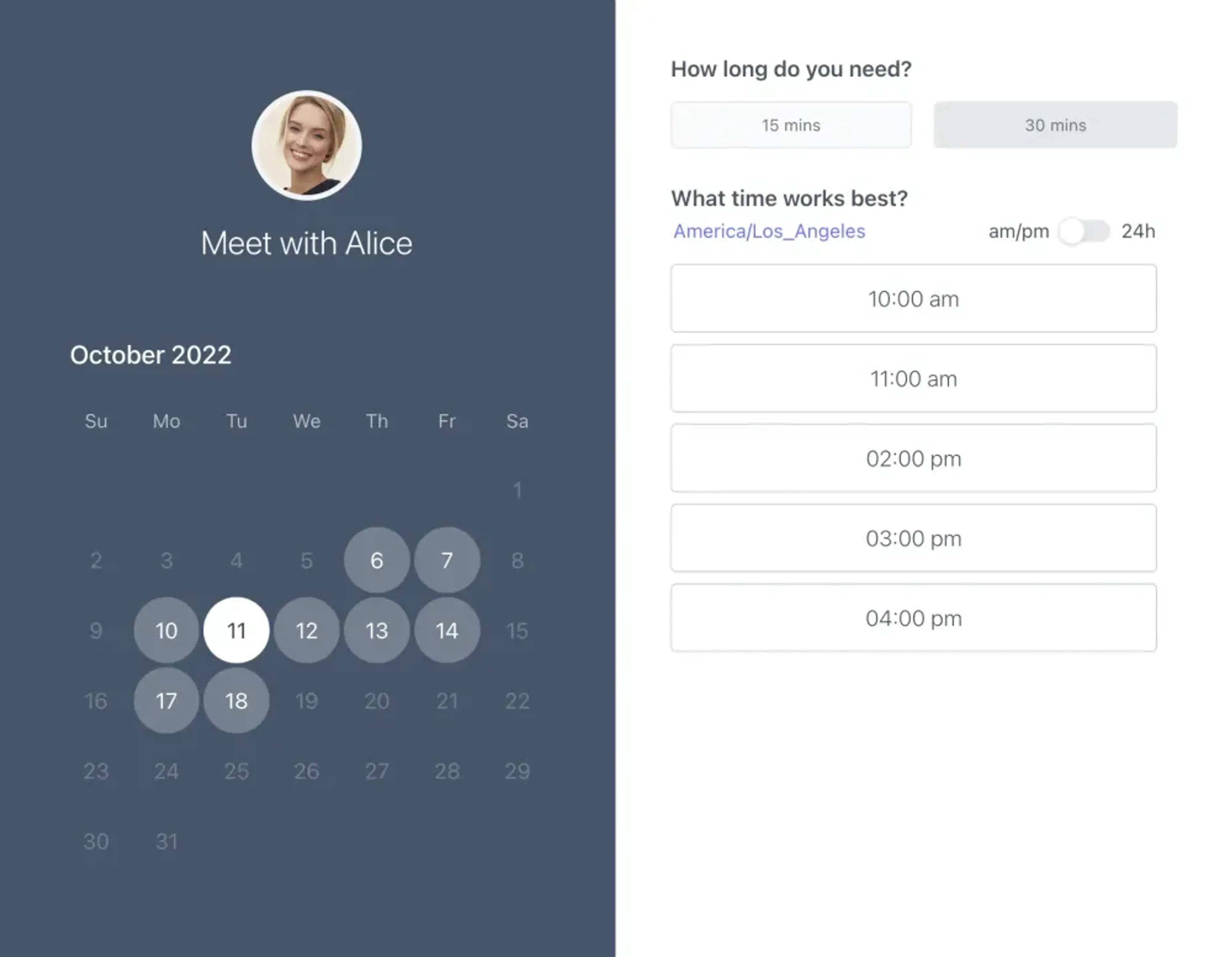
Another popular appointment scheduler is Koalendar which was created to make scheduling appointments and keeping track of schedules simpler. It offers the typical features of an appointment scheduling tool, such as an easy-to-use interface that lets users show their available time slots, make their own booking pages, and share them with others. Additionally, it is made for both individuals and corporations, meaning that regardless of your goal, this app will cover your all needs.
The easy integration of Koalendar with unlimited calendars like Google Calendar, Outlook, Apple Calendar, and tools like Microsoft Teams, guarantees that your clients can always check your availability. Time zone recognition, buffer intervals between appointments, confirmation emails, and other reminders are additional capabilities. It's interesting that custom fields can be used to get more data from invitees.
The tool's customizable booking pages is one feature that is super popular. Koalendar automatically generates conference details for Zoom and Google Meet for each meeting. These include details like the meeting's name, venue, and language.
Koalendar is excellent for meeting individual scheduling demands, but it might not include sophisticated team scheduling or multiple invitee features. You might want to explore other options if your company requires sophisticated team scheduling features to manage events among numerous team members.
Even if you select a premium plan, Koalendar offers a limited feature set. It has limits, particularly in terms of advanced capabilities and customization choices when compared to more sophisticated solutions. Finally, be prepared for potential issues with customer support if you choose free and lower-tier plans. It can become a significant drawback if you have any problems or require any type of assistance.
Pros
- Clean, user-friendly interface
- Integrates with Google, Outlook, Apple Calendar, and Microsoft Teams
- Time-zone recognition and buffer intervals between meetings
- Custom fields for collecting client data
- Automated Zoom/Meet conference details creation
Cons
- Limited team scheduling and multi-invitee functionality
- Basic customization options on lower tiers
- Customer support delays for free users
- Premium plan lacks advanced automation compared to competitors
Pricing
- Free Plan - $0
Basic booking, Google Workspace integration, reminders - Premium Monthly - $9.99/month
Advanced customization, rerouting invitees, tentative bookings - Premium Annual - $83.90/year (30% off)
Same as Premium with yearly discount
Calendly
Key Features
Calendly has gained popularity due to its user-friendly design and freemium model, which allows the When2Meet alternative to attract paying customers without spending on marketing.
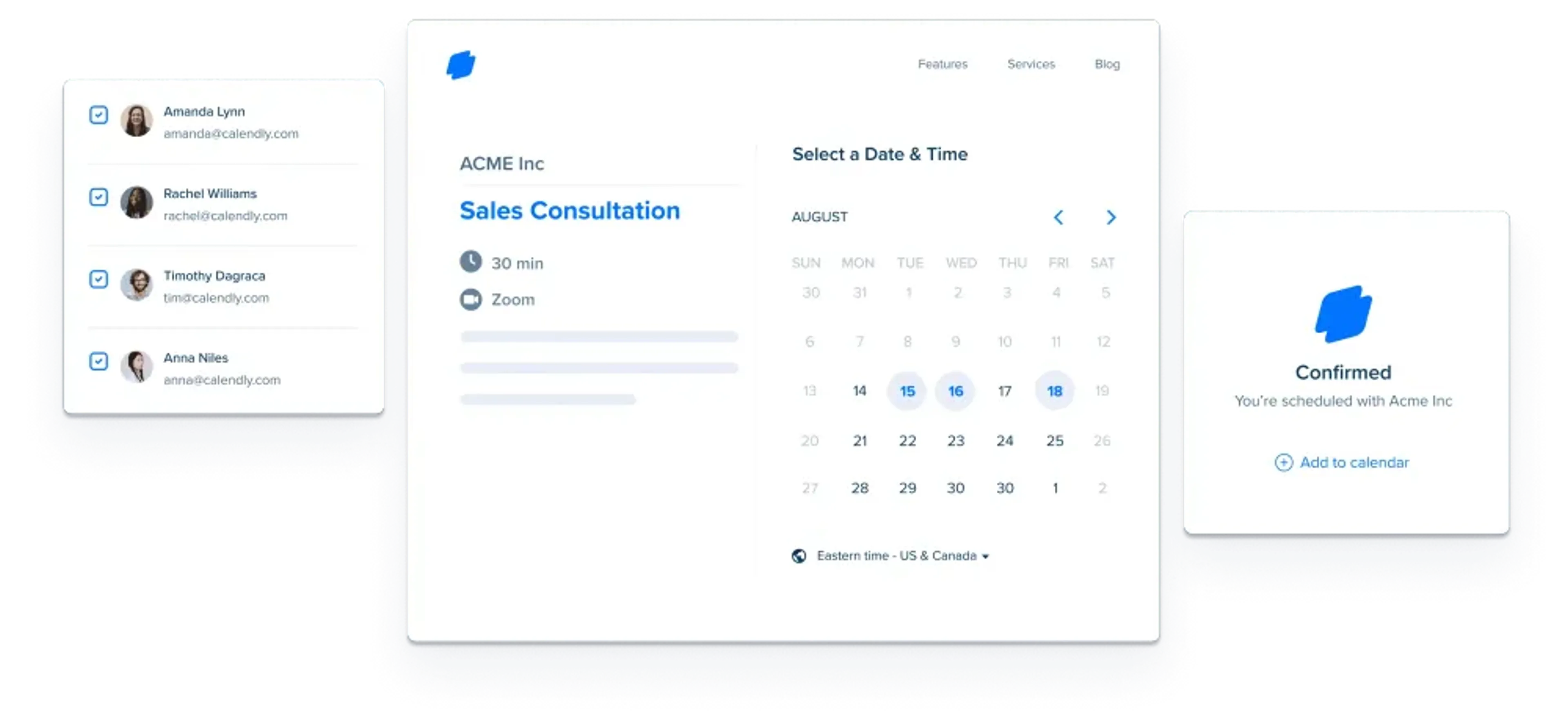
It is an efficient meeting-scheduling app that streamlines the process of scheduling events. It provides a number of features designed for sales reps, HR professionals, or IT. With Calendly, you can create personalized scheduling links that can be easily shared with others, allowing them to book time slots on your calendar. The tool seamlessly integrates with popular calendar platforms like Outlook, iCloud, and the entire Google ecosystem, ensuring that your availability is always accurate and improving communication with colleagues and customers.
Calendly offers high flexibility and the ability to customize calendar slots. You can only open your schedule for the times, days, and dates that work best for you. You can block days when you do not plan to attend any meetings. This way, any meeting location selected by the invitee is automatically confirmed within seconds, ensuring a seamless experience for both you and the invitee. Leave all the planning to Calendly, as it does everything from managing calendar conflicts, reminders, and rescheduling on its own. All you have to do is tell the app when you'll be available, and the Calendly team will take care of the rest.
Calendly allows you to automatically send confirmations and invitations to your customers. Any changes made to the appointment are also automatically sent to them with all the details to ensure you and your client are on the same page.
Although Calendly does allow for some customization, the options are few and may be challenging for those without considerable technological know-how. Scheduling pages often employ standard layouts with little to no possibility for personalized styling, and event types can only be somewhat customized. Forget about unique color schemes, font choices, or layout options since all you get is a generic white-blue appearance.
Pros
- Highly intuitive and easy to use
- Seamless calendar integrations (Google, Outlook, iCloud)
- Flexible availability and automated reminders
- Excellent team scheduling and group event options
- Payment integration (Stripe, PayPal) on higher tiers
Cons
- Limited customization (design and branding)
- Generic booking page appearance
- Costs add up quickly for teams or advanced users
- Some features locked behind higher-tier plans
Pricing
- Basic - $0
One event type, basic automation - Essentials - $8/month per seat
Custom branding, integrations - Professional - $12/month per seat
Advanced event types, workflows - Teams - $16/month per seat
Team scheduling, analytics - Enterprise - Custom (up to ~$15,000/year)
Enterprise-grade support and integrations
Related
Calendly isn’t your only option — read our Calendly Pricing Overview for plan details, and our Calendly Alternatives guide to explore other top tools
Doodle
Key Features
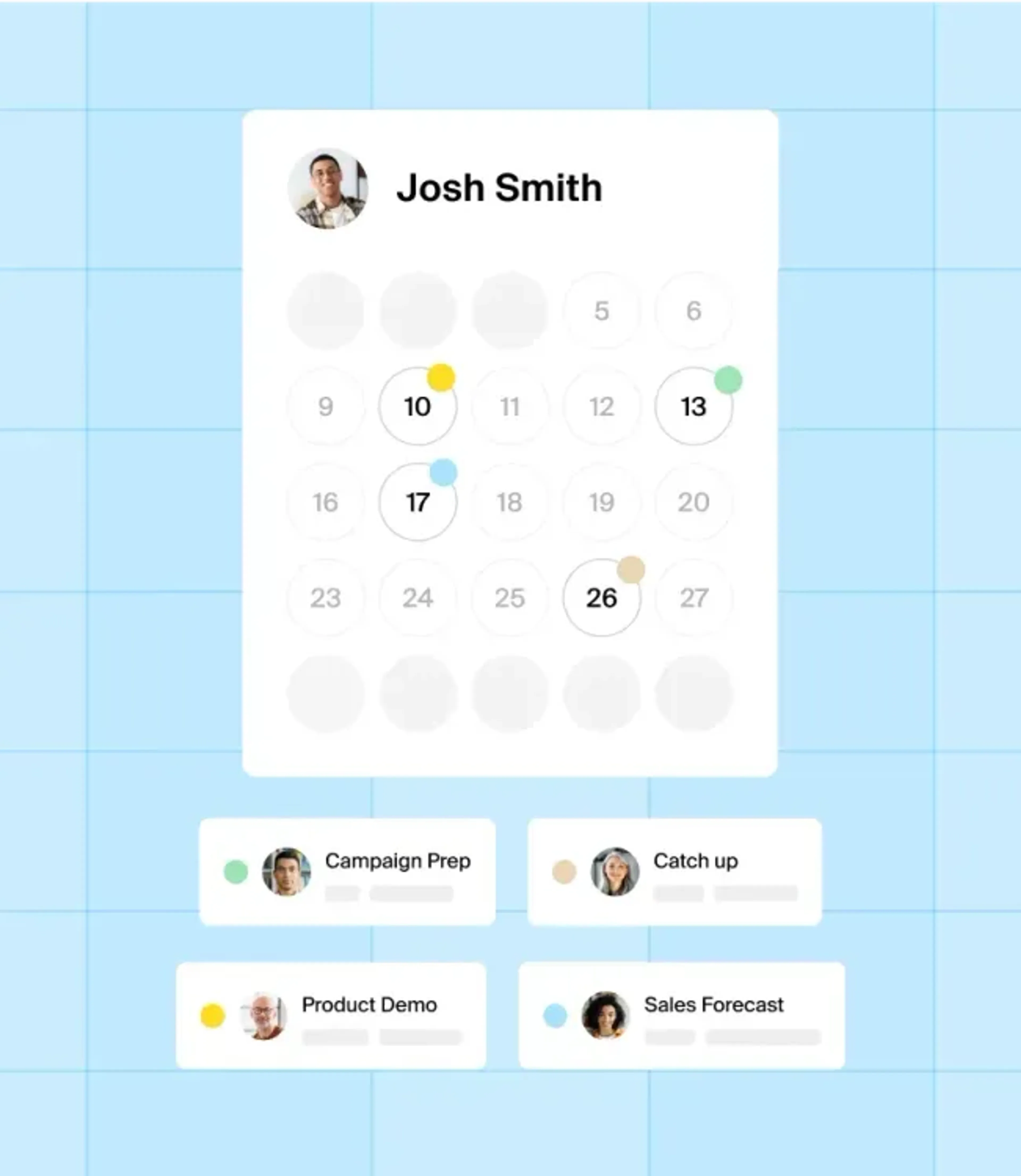
Doodle is popular for its polls. Essentially, users can create and share them, enabling you to understand the availability preferences of other meeting participants. This feature eliminates back-and-forth discussions since you can instantly see when others are available. Plus, just like many other When2Meet alternatives, Doodle seamlessly integrates with various calendar platforms. This means that you can start booking meetings and sync your schedule with preferred calendars. It prevents scheduling conflicts and double bookings.
Doodle also provides a reminder feature, sending meeting notifications to everyone invited. It is super useful for those who tend to forget about meetings. Also, Doodle provides resources to manage participants effectively by enabling you to send meeting links directly through email or share a unique participation link. You can view responses and personal availability, as well as send reminders to participants who haven't shown up or responded.
One feature that helps Doodle stand out is its commenting and discussion feature. It enables participants to discuss event details, provide extra meeting details, or use the scheduling interface to ask questions. This function improves collaboration and streamlines communication for improved outcomes.
When it comes to customization, Doodle also got you covered. Users can modify their schedule pages and polls to better reflect their branding or personal preferences. There is even an option to add your organization's logo, select color schemes, and personalize the interface to reflect your unique identity.
Finally, Doodle has a reporting and analytics feature that drastically improves insight-gaining. By utilizing this feature, you can better understand scheduling patterns and participant preferences. These analytics can be useful for businesses that need future planning, focus on identifying trends and optimize scheduling processes.
Pros
- Excellent polling system for group availability
- Integrates with major calendars (Google, Outlook, Apple)
- Built-in reminders and notifications
- Discussion and commenting features for participants
- Customizable booking pages and polls (logos, colors, branding)
- Analytics and reports for tracking attendance patterns
Cons
- Limited automation vs. dedicated scheduling apps
- Free version lacks customization and business tools
- UI clutter when managing large groups
- Some lag with large poll datasets
Pricing
- Free Plan - $0
Unlimited polls, one booking page - Pro (Monthly) - 15$ per seat
Unlimited pages, reminders, customization - Team (Monthly) - 19.95$ per seat
Unlimited pages, reminders, customization
Related
Doodle isn’t your only option — check our Doodle Alternatives guide to explore other top tools, or our Doodle poll guide for tips and best practices
HubSpot Meetings
Key Features
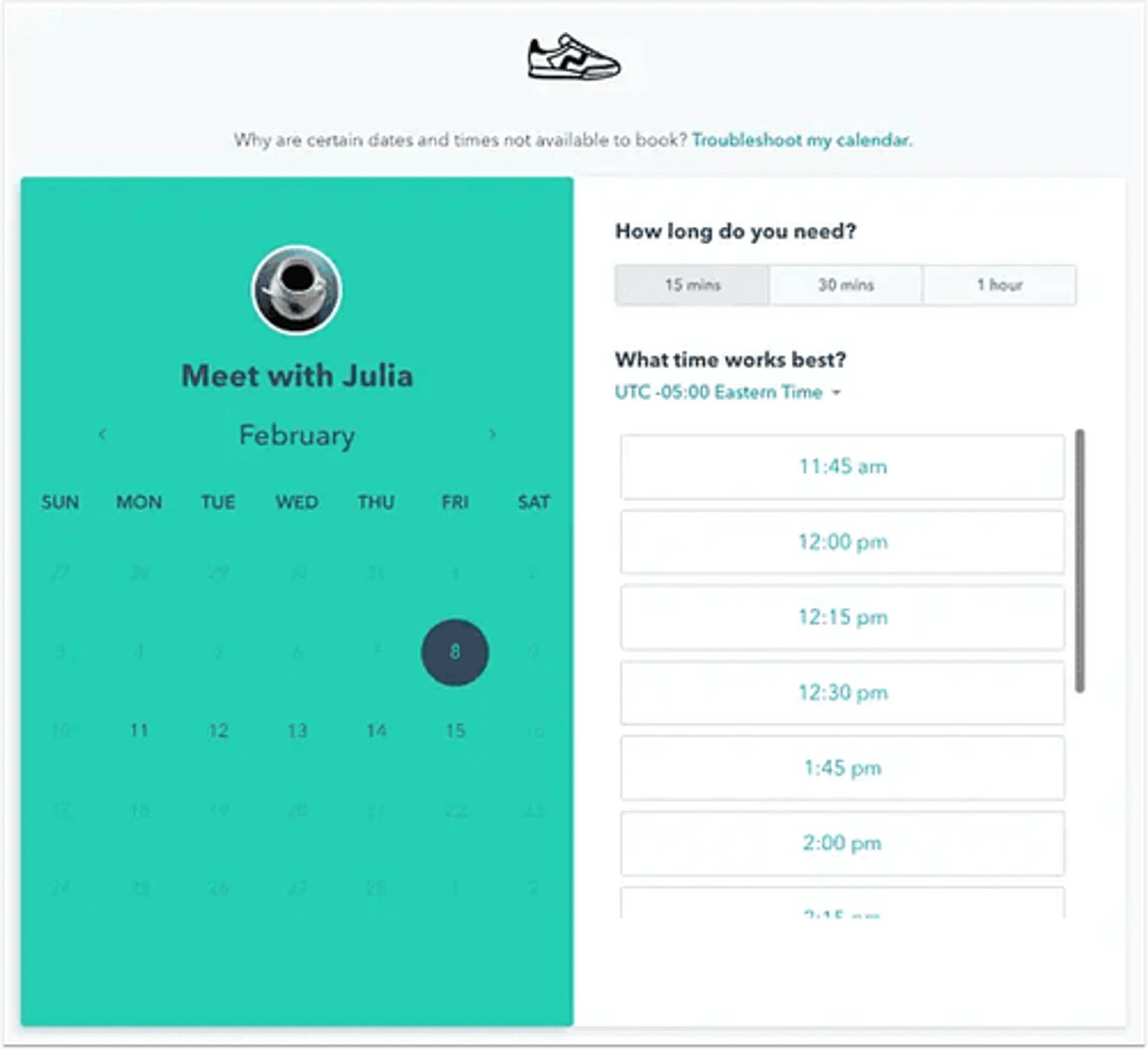
If you want to set your own calendar rules, HubSpot Meetings is the app for you. Users can connect their Outlook or Google Calendar and synchronize it with their meeting schedules without having to do extra. This helps people to avoid scheduling conflicts and have access to the most recent information about any particular meeting. Others view your own personal calendar and make decisions accordingly.
HubSpot Meetings is part of a big HubSpot ecosystem, and it integrates seamlessly with the HubSpot CRM, storing all contact information and meeting history of its users in one place. Like any other Doodle alternative, it enables its users to share personalized scheduling links with other meeting participants, eliminating the need for back-and-forth emails and phone calls to find a time slot that works for all.
It also provides a time zone detection feature created for remote teams, meaning that you don't have to waste time figuring out other users' availability.
All customers are automatically added to HubSpot's contact database as soon as they schedule an appointment, allowing your database to grow tenfold. All information is secure on the HubSpot platform.
HubSpot Meetings has a user-friendly interface that makes scheduling meetings super straightforward. It offers real-time availability updates, allowing invitees to view and select available time slots that best fit their schedules. Once a meeting is scheduled, automated confirmation emails are sent to all participants, reducing the chance of missed appointments.
HubSpot Meetings has an active support team of people ready to help you with any issues you may have. They are available weekdays via email and even through the live chat feature on their website. It also offers educational and training materials through its knowledge center, community forum, blogs, academy portal, and developer documentation that answers people's questions.
Additionally, although this application seamlessly interacts with Google Calendar, Google Meet, and other apps, syncing problems or delays do occasionally occur. This problem may cause discrepancies between the user's true availability and the one that is displayed, leading to scheduling disputes and muddles.
Pros
- Fully integrated with HubSpot CRM
- Automatically adds clients to contact database
- Real-time availability updates and time-zone detection
- Free to use with HubSpot ecosystem
- Strong customer support and educational resources
- Automated email confirmations reduce no-shows
Cons
- Limited functionality without HubSpot CRM
- Occasional calendar sync delays
- Fewer customization options than standalone tools
- Geared toward sales/marketing teams rather than general use
Pricing
- Free - $0
Meeting scheduling, calendar sync, CRM integration - HubSpot CRM Starter - $20/month
Added marketing and automation features - HubSpot Pro/Enterprise - $800–$3,600/month (varies)
Full CRM suite with advanced tools
Conclusion
No matter if you are a student, a small business owner, or a project manager in an international tech corporation, you will need a fast and effective scheduling app at some point. Sure, conducting your own market analysis is good, but why not save time and heed the advice provided in this article and choose Calday as your ultimate assistant? It has everything you need to make your daily operations easier: dedicate your attention to more urgent tasks, while Calday will take responsibility for scheduling meetings. Its broad functionality like Google Workspace integration, the ability to view available appointment slots, and an appealing online calendar helps the app stand out among lots of other When2Meet alternatives. It integrates with a bunch of third-party applications, making it a perfect addition to your current workflow.
That being said, if you're looking for an efficient When2Meet alternative, Calday is definitely a tool to consider. You can test it by opting for a free plan first, and then choose a premium option if you feel like your tasks require more complex features. Or stick to a free plan if it fully covers your needs!