

There was a time when you didn’t need to think about adding captions to videos. Now with the TikTok-ification of social media, not using captions for your content is a surefire way to send it to oblivion in an uncaring algorithm.
To get noticed by the algorithm of any major social media platform you need to include captions, but creating them manually is time consuming and inefficient. You need an AI-driven caption app instead.
There’s also transcription, an essential function for many business and entrepreneurs, but one that’s time consuming and boring. The best way to make sure you can get text from video properly is to use an AI powered app too; it’s faster, more accurate and gives you more spare time.
There’s a lot of choice out there for you to choose from, so we’ve put together the Calday guide to the five best auto caption apps currently available on the market. These reviews were made with the direct participation of our customers (thanks for that guys!) so let’s dive into these top subtitle services.
Veed
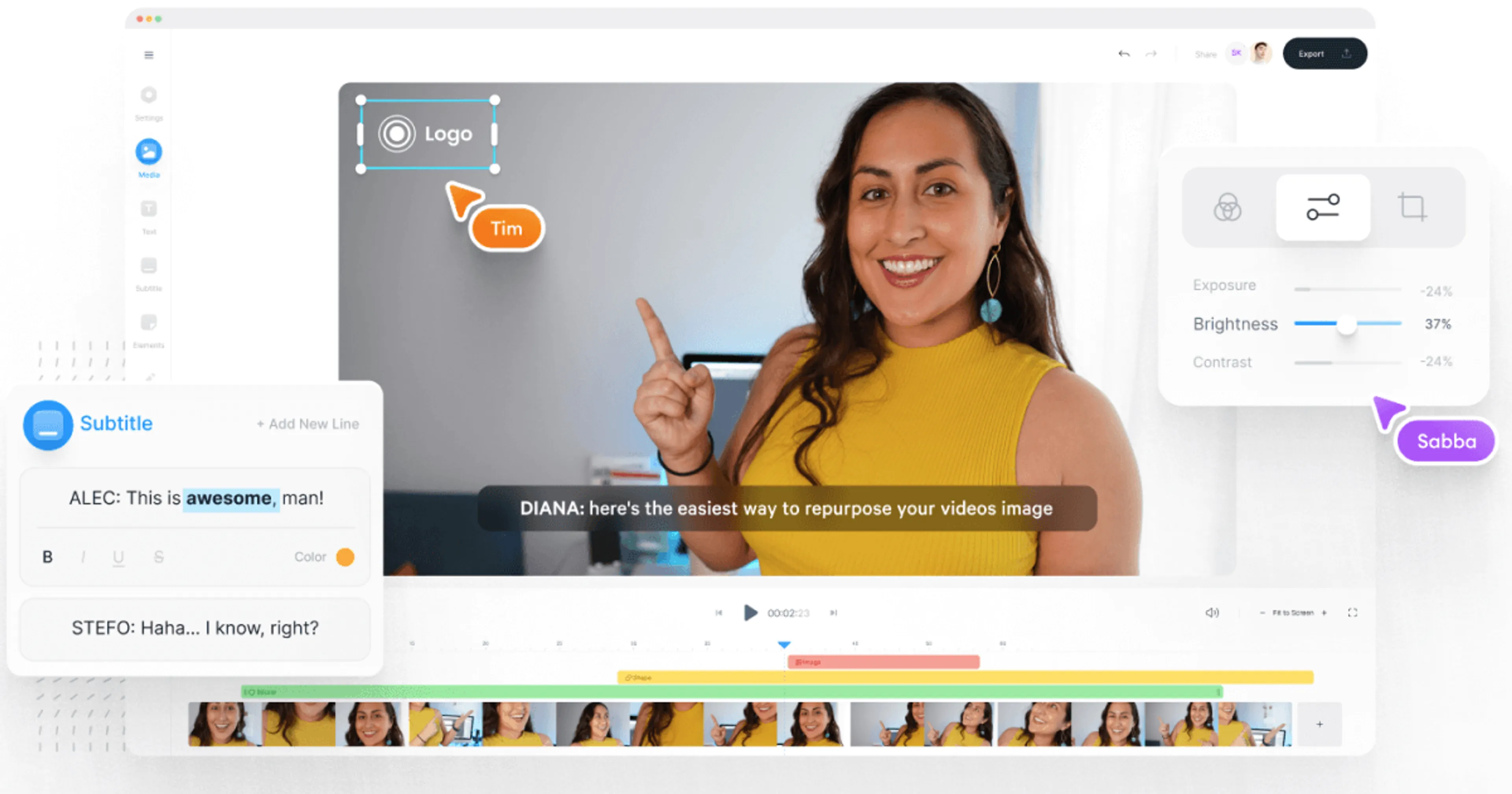
Our first option is one of the best apps for subtitles for those looking for speed and simplicity. It’s perhaps best known for its auto subtitle features, which use machine learning to transcribe audio automatically.
Veed is based on the cloud, so as such you can use the app across multiple devices at the same time. It’s a good all-around starter option, with enough decent features to appeal to almost anyone.
Key features
- Automated speech to text that comes in over 100 languages
- Interactive subtitle editor that allows you to edit on the go
- AI-driven search function to let you remove filler words automatically
- Built-in customization kit for personal and corporate branding
- An extensive library of fonts, captions and other key text features
Target audience
A jack of all trades that provides simple, solid performance, Veed can be used by almost anybody. However if we’re being more specific, smaller scale teams and social media managers benefit from using the app thanks to its multi-device support.
The cloud infrastructure on which the Veed app is based makes it ideal for collaboration, especially for teams working in multiple locations. As such, it’s also a pretty good choice for students and educators as well, especially if they work online.
Pros & Cons
Pros
- Extremely fast transcription speed
- High quality collaboration functionality
- Large library of fonts and languages
- Low barrier to entry even for novices
Cons
- The free version comes with a visible watermark
- Free exports are limited to 720 pixels resolution
- Users have reported some issues with lag
Pricing information
Veed offers a free tier with basic functionality. Paid tiers start at $12 for the Lite plan up to $24 for the pro version. Prices are given per month, billed annually.
CapCut
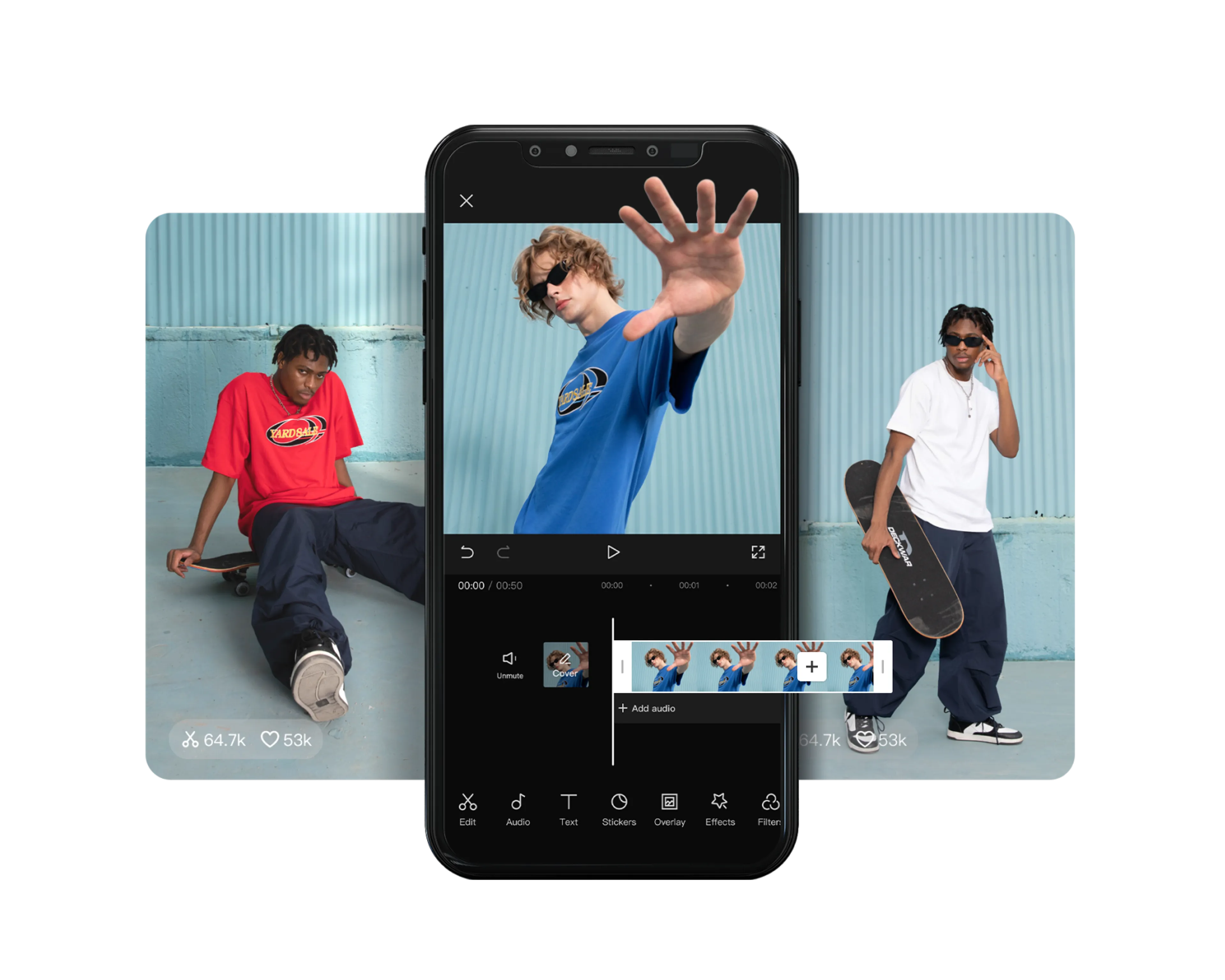
CapCut wanted to become one of the best caption apps in the eyes of the public by being cutting edge, so it decided on a strategy that involved giving its users professional-grade AI tools for free. It’s safe to say that this decision has made the app rather popular.
As it’s owned by ByteDance, CapCut was set up to focus on the short, vertical video format, the same type made popular by TikTok. It provides AI-driven captions, but it also works as a creative suite, offering music and visual effects as well.
Key Features
- One-tap auto-captioning that works very well at identifying individuals
- A vast library of templates, fonts, music, visual effects and more
- Caption file exports in multiple formats, including SRT and TXT
- AI-driven script generation based on prompts and inputs
- Speedy editing optimized for social media, especially TikTok
Target audience
As you’ve probably guessed by now, CapCut is intended for heavy social media users. In particular, it’s one of the best subtitle apps for Instagram, YouTube, and of course TikTok, as it’s ideal for the short video format.
This means that CapCut is also a good choice for solo influencers or people starting their own business who want to use social media for marketing. However, while it’s not exactly a one-trick pony, it’s just not designed for other potential audiences.
Pros & Cons
Pros
- One of the best free tiers available on the market
- The system supports 4k exports at no extra cost
- There’s a massive library of assets you can use
- The CapCut watermark can be removed in some cases
Cons
- The free tier has limited customer support
- CapCut’s desktop version is clunky and slow
- Some users have reported privacy concerns about their data
Pricing
CapCut’s free version is solid and meets the requirements of most users. Paid pro plans start at $9.99. Prices are given per month, billed annually.
Microsoft Clipchamp
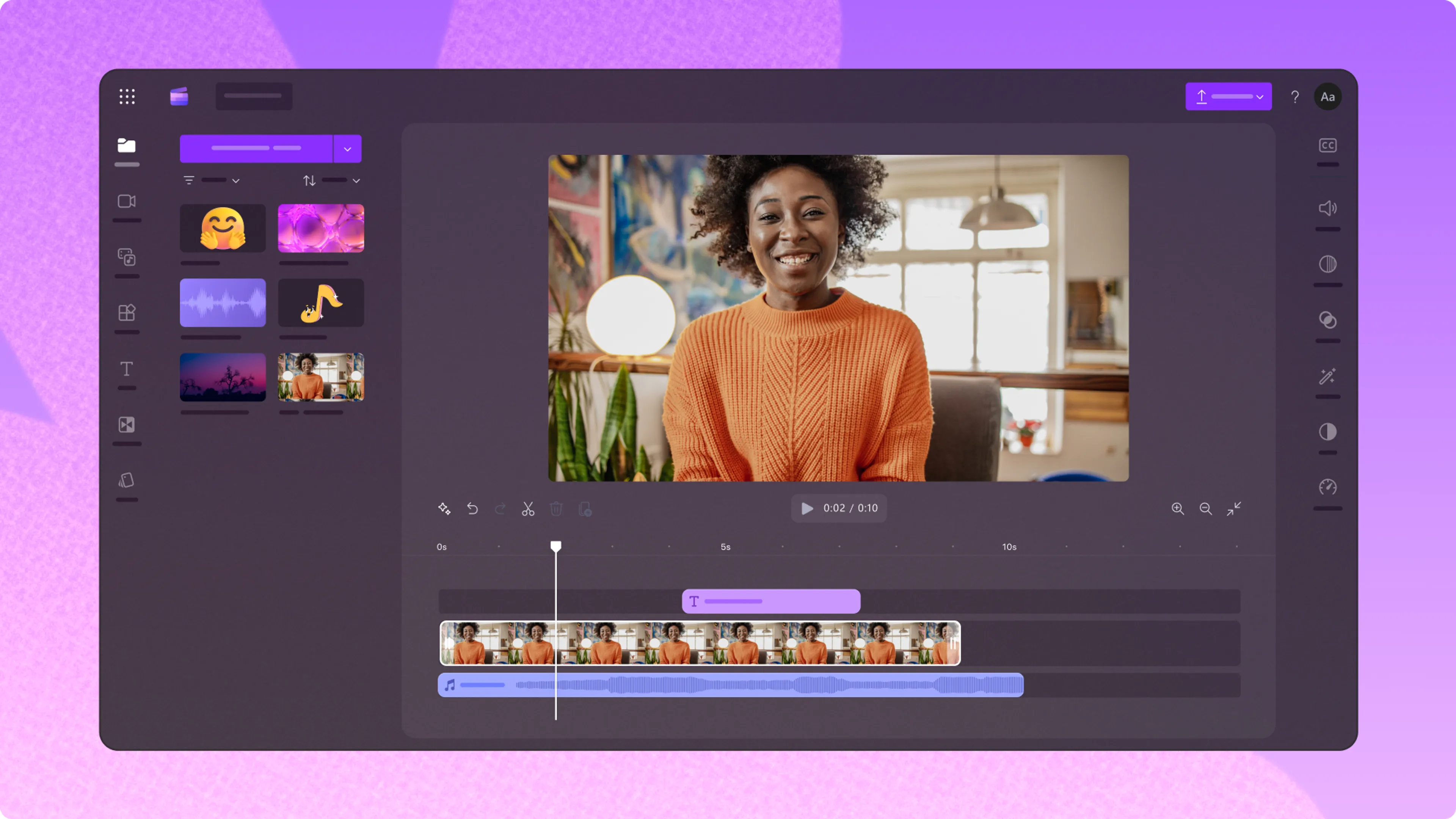
For all those Bill Gates aficionados and those agitated by Apple, a good choice for you is likely to be Microsoft Clipchamp. It’s the native video editor for the Windows 11 operating system, arguably making it the best subtitle app for its users.
As Microsoft Clipchamp uses the eponymous company’s proprietary speech recognition technology, it can process AI-generated captions rather quickly. The app has also won plaudits for its data privacy protection measures and processing security.
Key features
- Highly accurate auto-captioning that’s very reliable
- Strict security measures, some of the best on the market
- Built-in speaker coach to help improve vocal delivery
- Easy integration with OneDrive and other Microsoft apps
- A professional font library that’s well designed for offices and schools
Target audience
As this app is the in-house tool for Microsoft, it won’t come as a surprise that Microsoft Clipchamp is designed as a jack of all trades. It can be used by almost anyone, and its features are designed to appeal to a broad range of users.
However, we would also single it out as one of the best auto caption apps for educators given its large library of fonts and simplicity of use. Most companies use the Microsoft suite too, so it’s a good choice for corporate environments.
Pros & Cons
Pros
- Free, watermark-less 1080p exports
- Strong, stable performance on the Windows operating system
- Very easy for beginners to learn and use
- High-quality data protection framework
Cons
- Not the best choice for mobile-first users
- Doesn’t work as well outside the Microsoft app suite
- Limited graphics and music options
Pricing
Clipchamp is free to use for Microsoft suite users, and the premium plan starts at $9.99 per month. Prices are given per month, billed annually.
HappyScribe
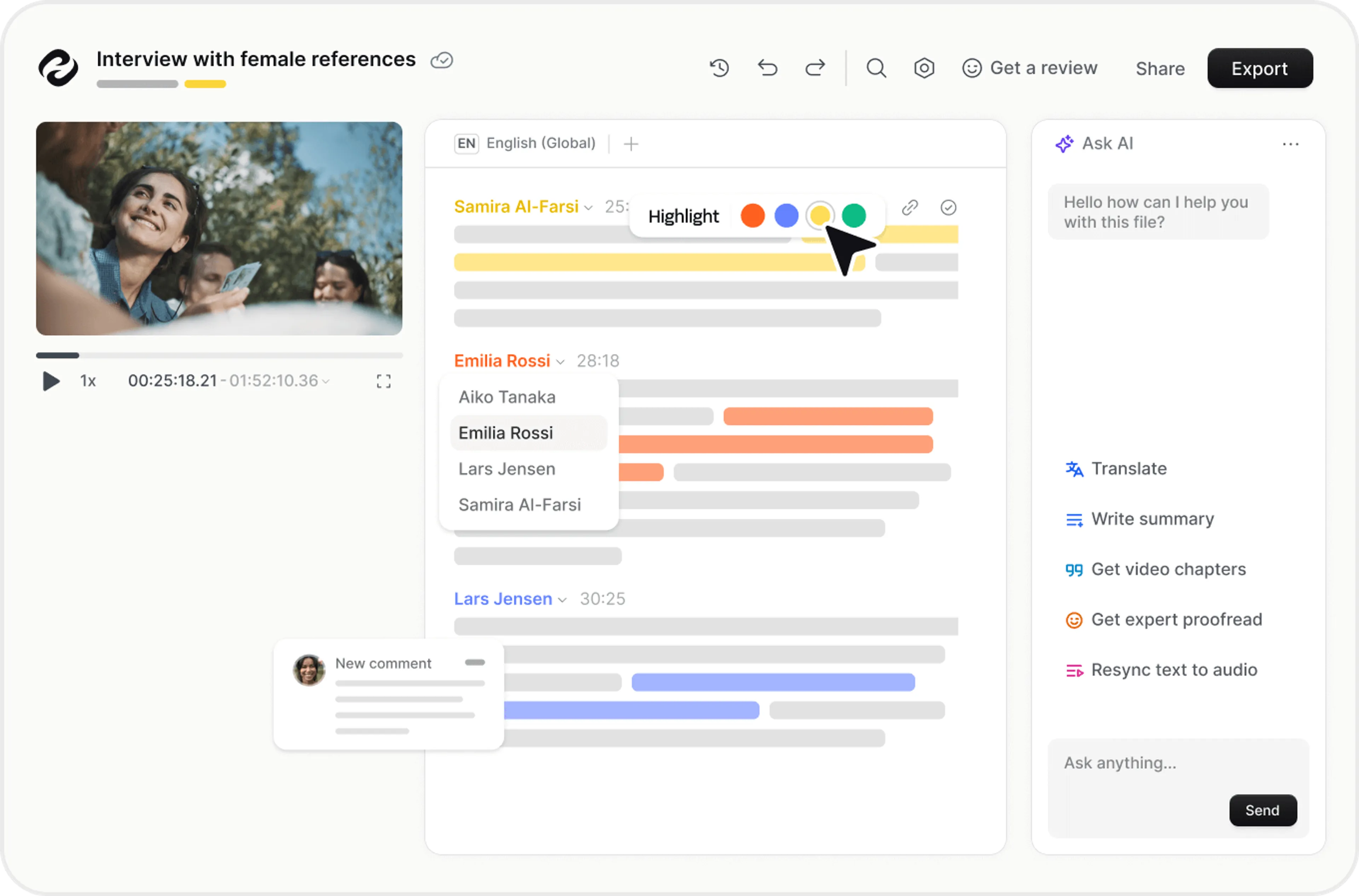
If you need one of the best apps for auto captions that is hyper-focused on transcription, then HappyScribe is likely to prove the best choice. It’s a dedicated transcription and subtitling platform, and does not offer video editing services.
The HappyScribe text editor is particularly powerful; it takes your video and processes it as if it’s a word document. Then you edit the audio as if you were correcting something you yourself had written, making it highly accurate and efficient.
Key features
- Professional-grade AI-powered editing with 95% plus accuracy
- Support for over 120 languages and regional dialects
- Advanced exporting options for formats including VTT, STL, and XML
- An advanced subtitle editor that snaps text to video effortlessly
- Human verification of AI transcription is available
Target audience
HappyScribe is targeted specifically at professionals who spend a lot of their time transcribing video for text. Classic examples include video editors, journalists, researchers, and others who require a high degree of accuracy.
Doctors and legal professionals who require transcripts to have a very high degree of accuracy also feature among HappyScribe’s most prolific users. In short, this is an app for those who need to transcribe speech on a regular or daily basis; it’s not for one-offs or occasional use.
Pros & Cons
Pros
- An industry leader in AI-driven transcription
- Excellent for processing and remembering industry jargon
- One of the highest transcription accuracy rates on the market
- A fantastic interface for transcribing text with ease
Cons
- It’s not a video editor, so you can't adjust any clips
- There aren’t any graphics or effects available either
- The free tier is very limited in its offerings
Pricing
HappyScribe doesn’t offer a free tier; only a free trial. Prices start at $9.99 for basic services. Prices are given per month, billed annually.
Movavi Video Editor
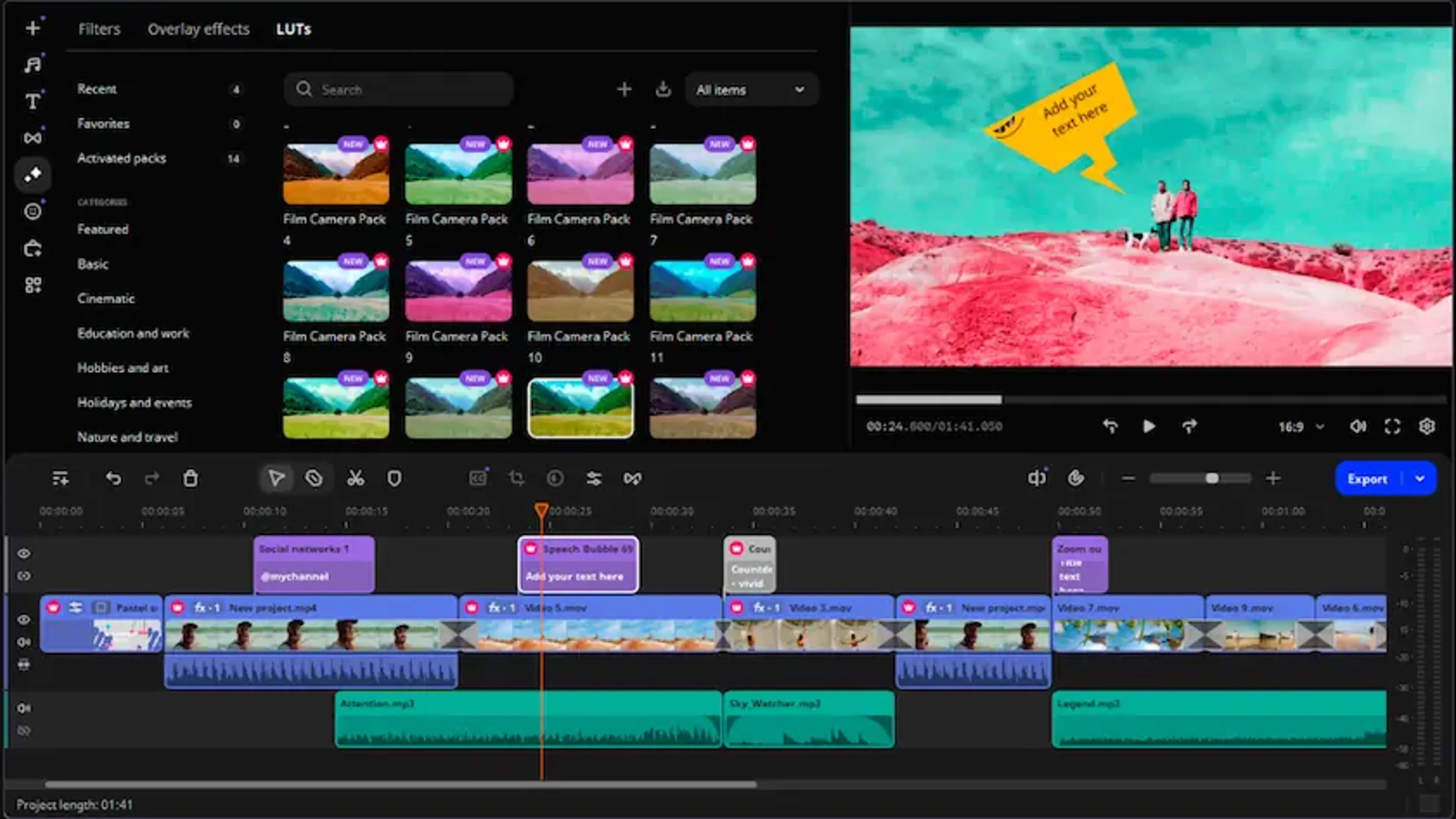
Finally, we come to our last app, Movavi Video Editor, which offers a good choice for those who switch between their mobile and desktop devices regularly. It’s designed specifically to bridge the gap between them to offer a seamless user experience.
If being a caption app for Android or iPhone to you means that it offers good quality AI, then Movavi Video Editor has you covered. An early innovator in the technology, the app has since doubled down to provide some of the best machine learning around.
Key features
- Offline AI transcription so you don’t need the internet to work
- Motion tracking for captions that follows subjects dynamically
- AI-powered noise removal to reduce the risk of errors
- Multi-track audio layering and 4k editing are available
- A specialized effects store with an extensive library
Target audience
Movavi Video Editor is designed primarily for YouTube video editors and creators that produce longer-form content. Think of things like tutorials, educational content, vlogs, and documentaries; don’t worry, TikTokers, you can use it as well!
The ability to transcribe audio using AI while offline also makes it very attractive to people working in businesses that do house calls or work in industrial fields. In general, it’s also a good tool for those looking for something that’s “middle of the road.”
Pros and cons
Pros
- You have the option to sign up for a perpetual license
- The system handles 4k files very smoothly
- Offline AI-driven transcription that works reliably
- Powerful audio cleaning tools to help eliminate mistakes
Cons
- There’s no free option, only a trial version
- The desktop version of the app needs some solid hardware
- Most of the advanced perks will cost you extra
Pricing
There’s no free tier; the most you can get is a seven-day free trial. Yearly subscriptions are available for around $54.95.
The Calday takeaway
Our selection of the best free caption apps currently available on the market will help you make the most of your video transcriptions and captions. Being able to do this is a great way to take the stress out of video processing; something that could otherwise be a very time consuming and stressful endeavour.
Ultimately our top recommendation would be to try each of these apps if you’re still unsure about which would be the best choice for you. Try them out, experiment, and see which works best for you, and let us know how you get on. Our advice articles are always based on the feedback of our users, so share your experience!